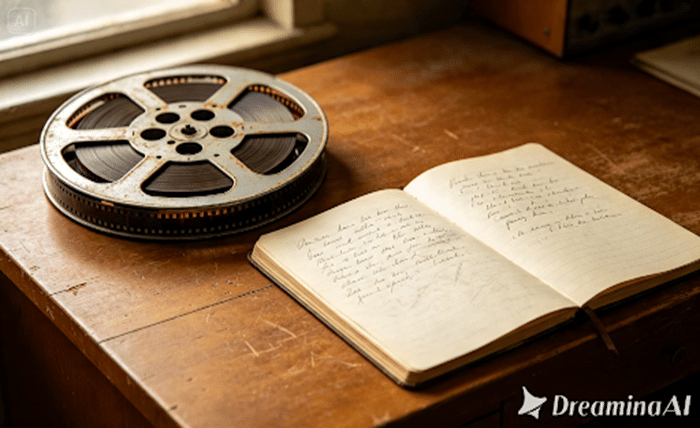
A documentary used to mean weeks of filming and a long night in the editing room. Now it can start with a sentence. Text to video tools by Dreamina let you describe a scene and watch it come alive, and Dreamina has pushed that further with its latest model, Seedance 2.5. If you’ve ever wanted to turn a piece of history or a personal story into a short, cinematic documentary, this is the moment to try it.
Why text prompts are enough to build a documentary
Documentaries live and die on narration and pacing, not on expensive gear. Writing a prompt means directing a scene before it exists — choosing the lighting, mood, camera distance, and the subject’s expression. That’s closer to how a documentary director thinks than most people realize, and it’s why text to video fits short-form nonfiction so naturally.
Finding a thirty second story worth telling
Not every idea survives being compressed into half a minute, so pick something with a clear beginning, middle, and end. A few directions that work well:
- A single moment in history told from one person’s point of view
- A “day in the life” glimpse of an unusual job or place
- A short myth-busting segment that corrects a common misconception
- A close look at an object and the story behind it
Once you have your angle, write it in one sentence before you touch a prompt box. That sentence becomes the spine of everything you generate next.
What a strong documentary style prompt actually includes
A prompt that produces a flat, generic clip usually leaves things vague. One built for documentary realism names the era, the setting, the camera behavior, and the emotional tone together. Think handheld movement, natural lighting, muted color grading, and a subject caught in a genuine moment. The more specific the atmosphere, the closer the result feels to something a real crew would have shot.
Your three-step route to a finished mini documentary
Step 1: Enter the prompt and upload an image
Sign in to Dreamina and open the AI Video section. If you have a reference photo, click “Add reference image” to upload it, then write a prompt describing how the scene should move and feel. Working purely from text to video, skip the image and let your words carry the scene.
Here’s what that could look like for a thirty-second clip: An old lighthouse keeper stands on a rocky coastline just after sunrise, the wind pulling at his coat while the camera holds a slow, handheld zoom toward his weathered face. The light stays soft and overcast, the colours lean toward blue and grey, and the only sound behind him is the waves rolling in, unhurried and real.
Step 2: Generate your video
With your prompt ready, select Seedance 2.5 as your generation model. Choose your video length, then pick an aspect ratio that fits where the clip will live: 16:9 for YouTube or 9:16 for TikTok and Reels. Click the generate icon and give it a few seconds to process your scene.
Step 3: Enhance and export the video
Your clip’s done, but don’t save it just yet. Dreamina’s editing tools are where the real polish happens, so try Upscale for a sharper finish or Generate soundtrack if the scene needs a little background audio. Once it feels right, export it and put it wherever your audience is watching.
Meet Seedance 2.5, the model doing the heavy lifting
Seedance 2.5 is the engine behind everything above, built with exactly this kind of storytelling in mind. It reads a prompt for more than objects and colours, working out how a scene should move, where light should fall, and how a subject’s expression should shift across the clip. That attention to physical detail keeps a generated documentary from feeling stiff or artificial. The most important improvement in Seedance 2.5 is the ability to follow creative direction, especially when scenes have more than one part that moves.
Green screen and blockout references
Direct input from live-action footage and white models (blockout) data from computer graphics software such as Maya allows for the exact touch points, angles, and interaction between characters to be specified, something difficult to do just through text descriptions.
Fixing the multi-person problem
The twin problem, in which a single person would create two copies of himself, as well as face swap problems, which were occurring in scenes with more than one person, has been fixed.
Local edits instead of full re-renders
After the shot is created, certain elements like backpacks, sunglasses, and watches can be eliminated or modified on the regional level without re-rendering the whole shot.
Choosing visuals that feel real, not staged
Realism comes from small imperfections. A slightly uneven angle, a subject mid-blink, or light falling unevenly across a face reads as authentic rather than staged. When writing prompts for Seedance 2.5, resist describing a perfect, symmetrical shot. Documentaries earn trust through texture, not polish.
Sound and pacing details that make it believable
Visuals only carry half the story. Pacing decides whether a viewer stays until the end, so keep cuts deliberate and give each scene room to breathe. Ambient sound, a soft narration track, or a soundtrack generated within Dreamina can round out the mood far better than silence. Small pauses between beats often do more than another added scene.
Where these mini documentaries fit in real life
Short documentary style clips have found a home well beyond film festivals. Brands use them for origin stories without a full production budget, teachers use them to bring history to life, and independent creators build a following around niche interests that would never get funded as a full length film. What used to need a crew can now start with a sentence and a Dreamina prompt, finishing, thanks to Seedance 2.5, looking like it took far more.
Mini documentaries built from text prompts are no longer a novelty; they are becoming a genuine storytelling format of their own. With Dreamina and the precision of Seedance 2.5, anyone with a story worth telling can put together something that feels crafted, not generated. The next thirty seconds of footage worth watching might just start with the prompt you write today.